
NOW FLYING WITH DIVI 5 + CLAUDE MCP
Your Divi site, on autopilot.
Claude connects straight into Divi 5 over MCP — building pages, reading the design system you already have, and auditing the work before it ships. 86 tools, running on your own install.
Free tier · no card, no time limit · WordPress 6.4+ · PHP 8.0+ · Divi 5 · Claude account with custom connectors
86
MCP tools
6
audit suites
1,805
self-test checks
0
shortcodes in what it writes
FLIGHT SYSTEMS
What Claude can do on your site
Build, audit, fix and migrate — all of it on your own install, through one connection.
one click
Fix problems automatically
five tools
Loop Builder, dynamic content and display conditions
REAL SCREENS
Nothing here is a mockup
Six screens from Divi Autopilot, captured on a live Divi 5.11.1 install. Nothing retouched — including the part where this very site only scores 73.
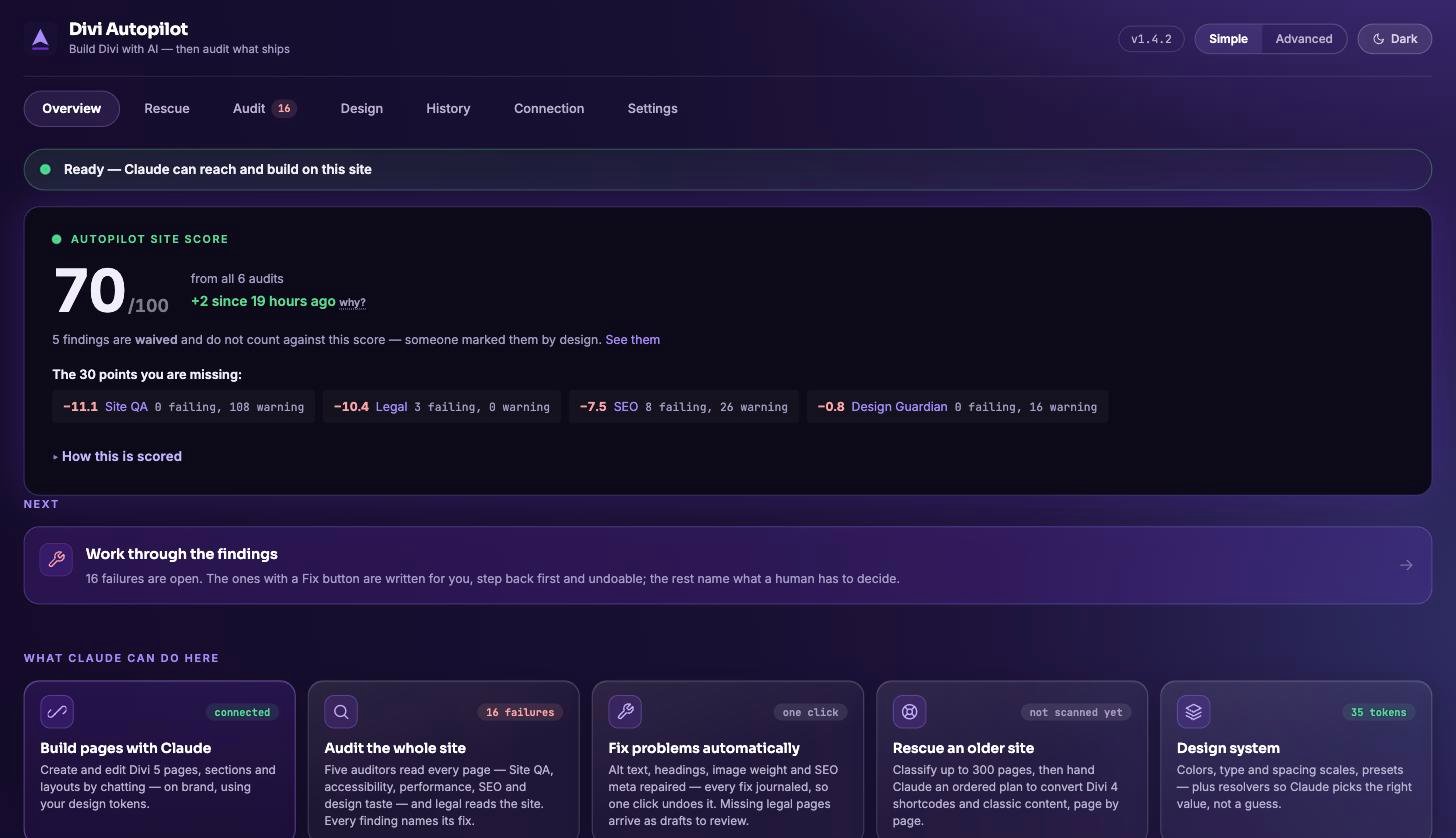
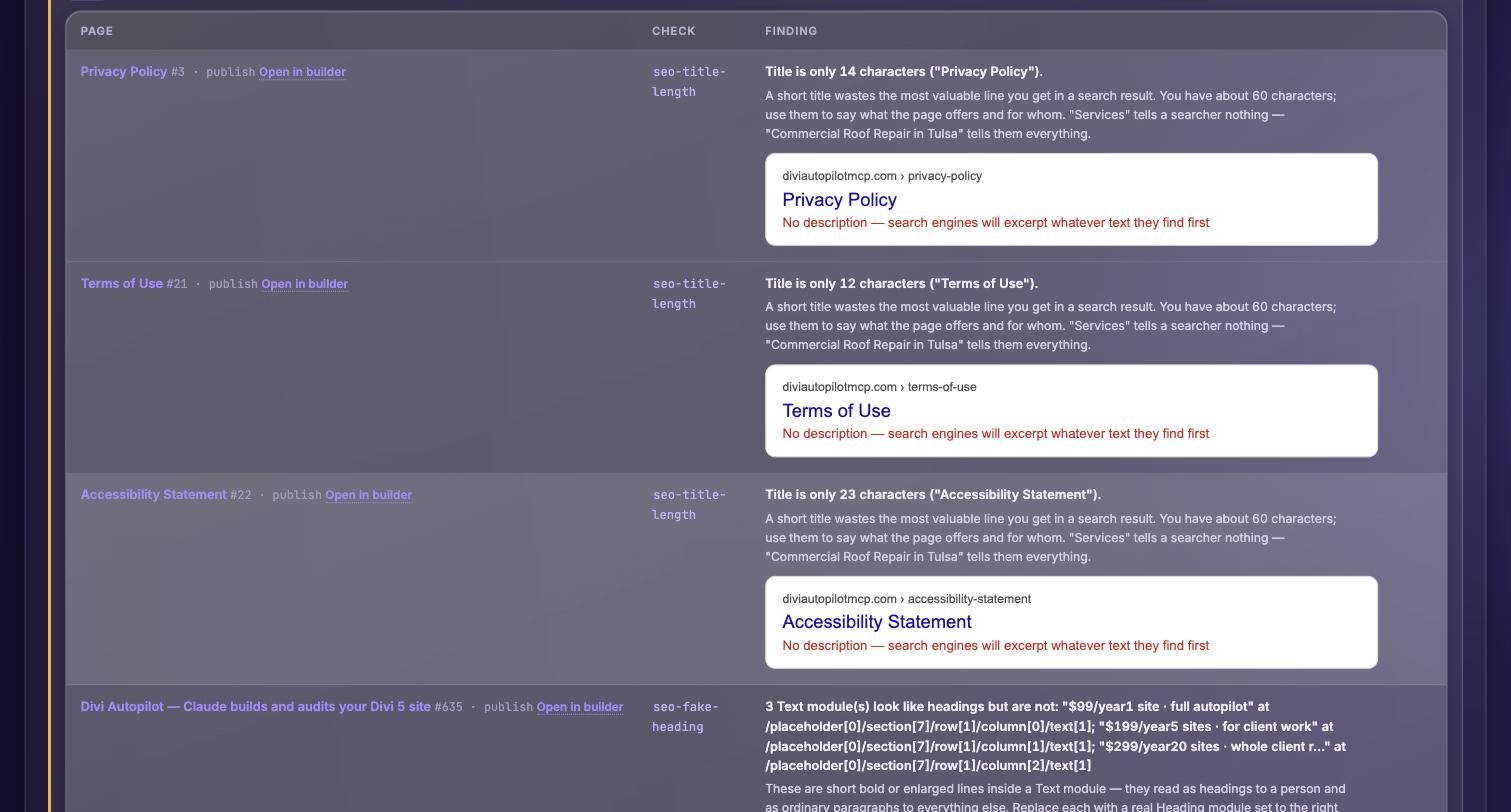
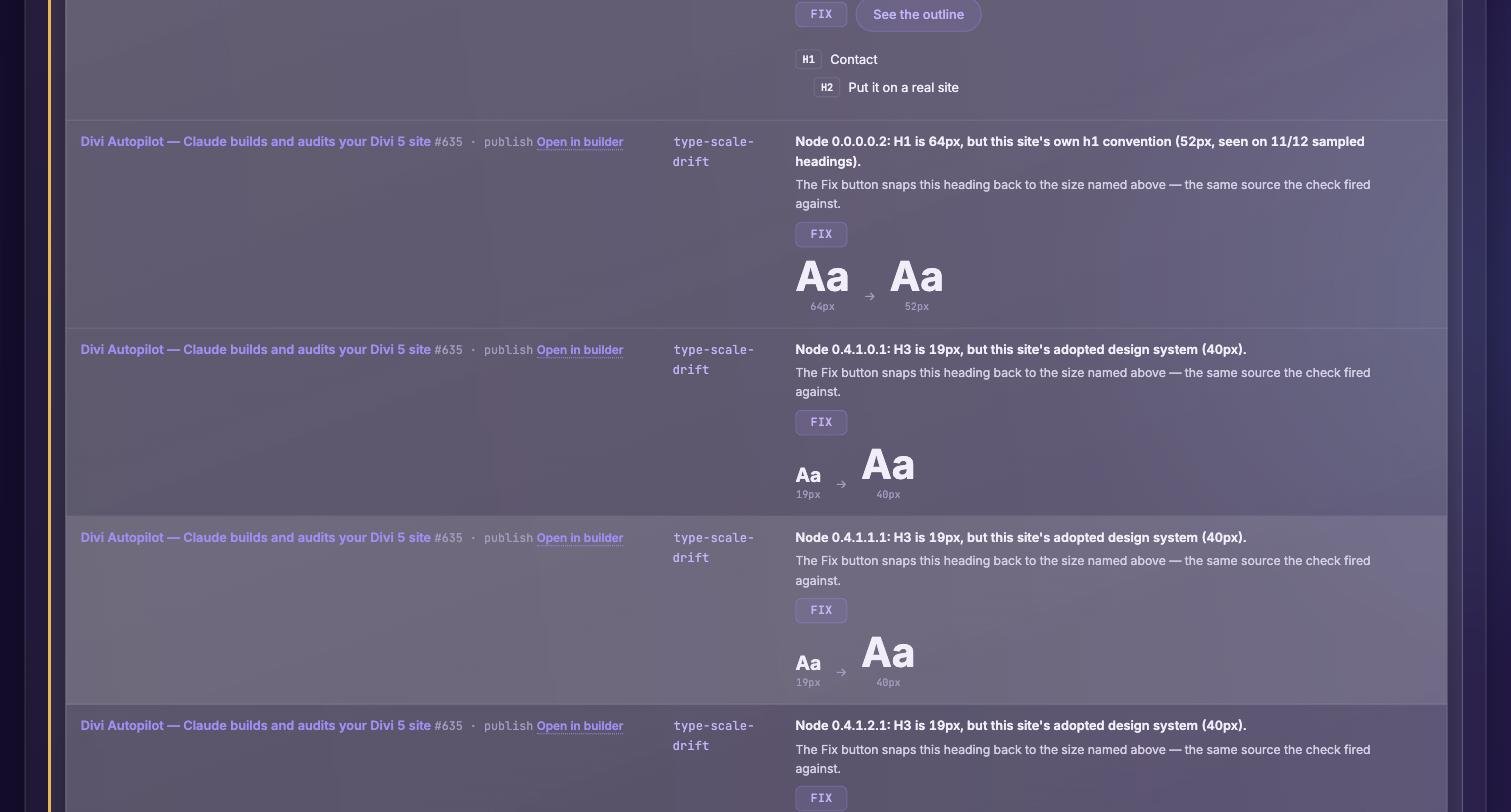
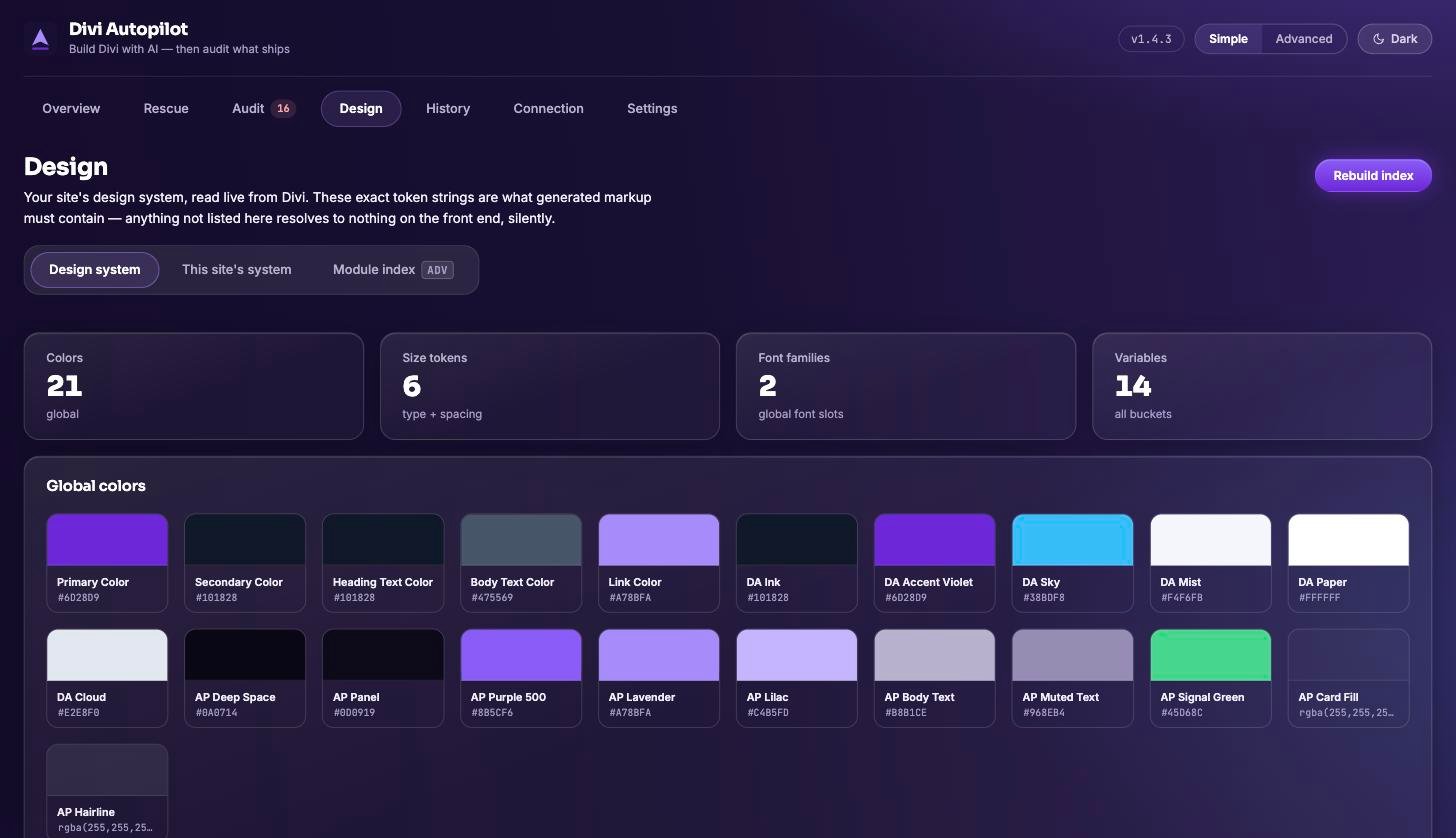
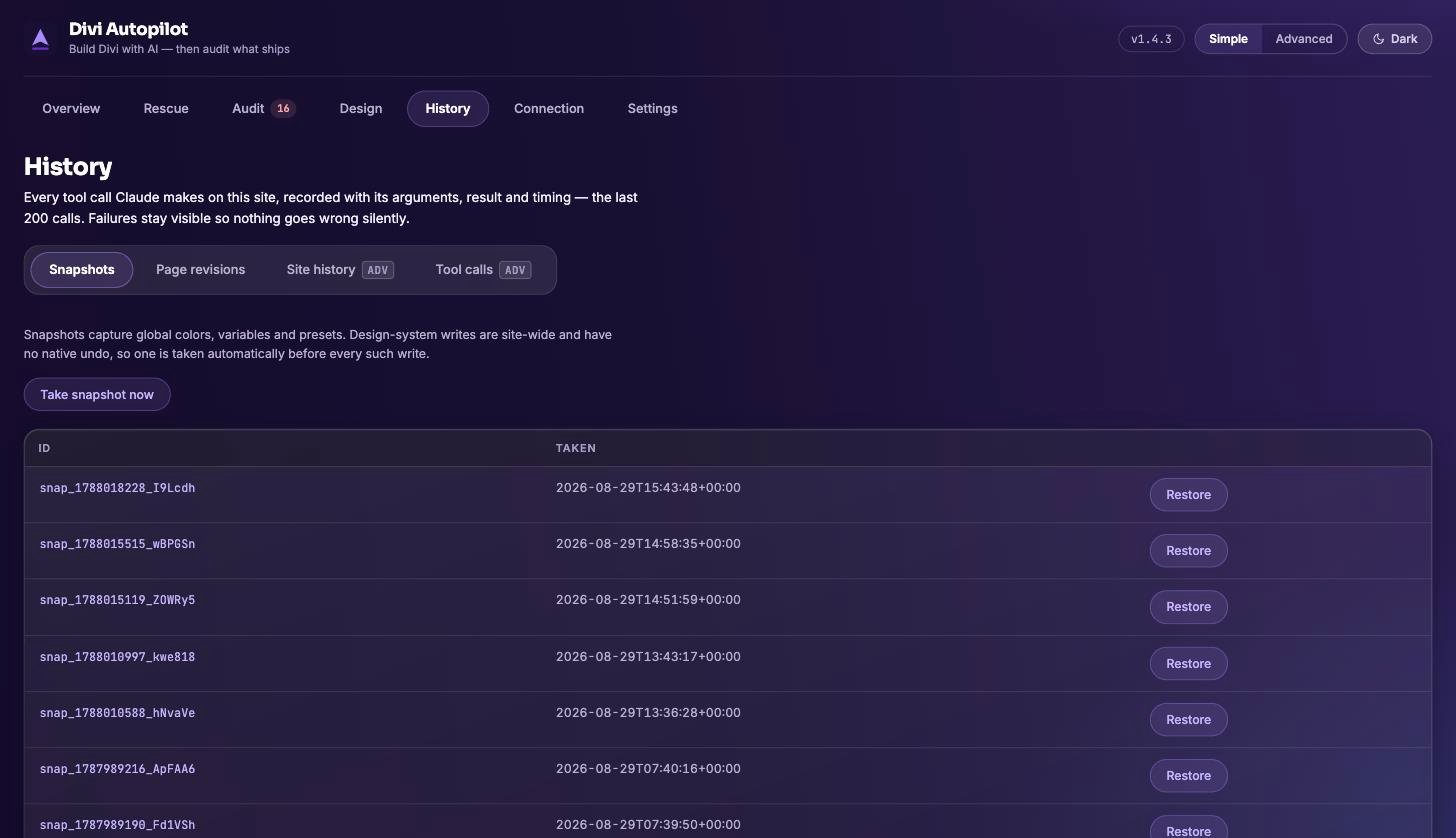
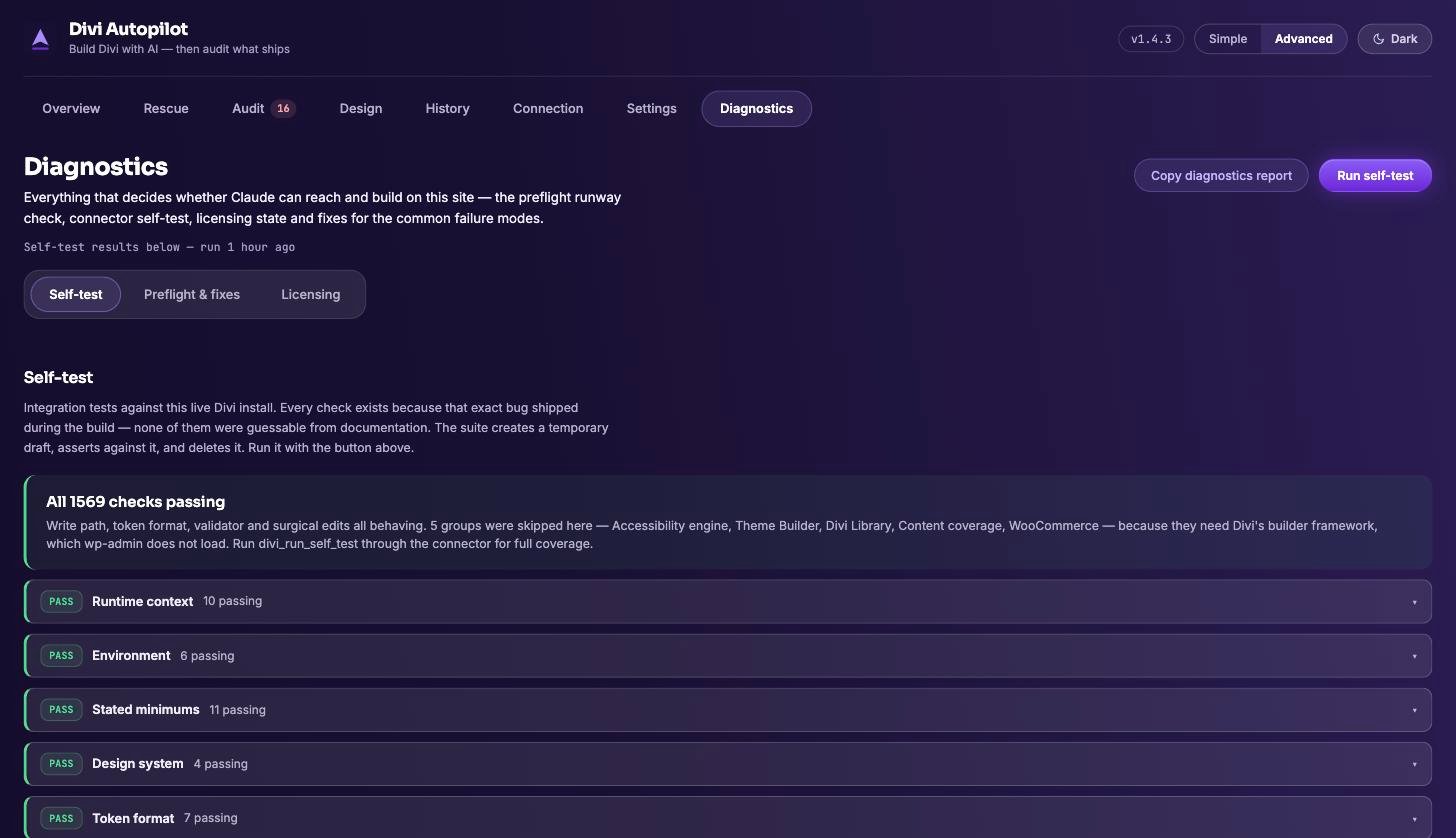
Divi Autopilot · captured on a live Divi 5.11.1 install · nothing retouched
REAL-WORLD PROBLEMS
Sound familiar?
THE DEMAND LETTER
“My client got an ADA demand letter about their website.”
The accessibility audit reads every page the way a scanner would — contrast pairs, missing alt text, heading order, link text — and names the exact module behind each failure. Most fixes are one click, each journaled and undoable, and the statement helper keeps your accessibility page honest about what is left.
THE CUT-OFF TITLE
“Google keeps cutting my page titles off mid-sentence.”
SEO findings render the actual search result: the part Google keeps stays bright, the part it cuts is struck through, and a missing description shows what searchers get instead. You fix the title looking at the card a searcher will see, not counting characters.
THE SLOW HOMEPAGE
“The homepage takes forever on mobile and nobody knows why.”
The performance audit lists the exact offending images — thumbnail, file size, width — then one click compresses and resizes them and reports the bytes saved. Files it cannot safely touch are listed with the reason, never silently skipped.
THE REBRAND
“The old brand purple is hardcoded across forty pages.”
Site QA finds every hardcoded colour and size, and Fix All swaps them for your design tokens — after showing a page-by-page plan and writing only the set you approved. The next rebrand becomes one token edit, not forty page edits.
THE INHERITED SITE
“I took over a Divi 4 site and half of it renders as bracket soup.”
The rescue scan classifies every page — clean Divi 5, Divi 4 shortcodes, broken builder meta — finds leftovers from removed plugins, and returns an ordered fix plan you execute step by step. Snapshot first, always.
THE TRUST PROBLEM
“I do not trust one-click fixes on a client’s live site.”
Neither do we. Every write is journaled with an Undo beside it, bulk fixes show their plan first and refuse to run if the site changed since you saw it, and a revision or saved copy stands behind every page write. You can always step back.
FIRST FLIGHT
Wheels up in three steps
01
Install the plugin
Upload Divi Autopilot and activate. No config files, no server work. Needs WordPress 6.4+, PHP 8.0+ and Divi 5.
Upgrading later? Paste your licence key in wp-admin — Pro unlocks in place, nothing to reinstall.
02
Connect Claude
Paste one URL into Claude’s connectors and sign in. Authentication is OAuth 2.1, or a static key if your host prefers it.
You need a Claude account first. Adding a custom connector is not something every Claude plan can do — check what your plan supports before you buy.
/wp-json/divi-autopilot/v1/mcp
03
Say the word
“Build me a pricing page.” Claude reads your design system and ships Divi-native sections — audited, logged, reversible.
The plugin greets you with a four-step First flight checklist of its own.
Setup, connection and troubleshooting all live inside the plugin, under Divi Autopilot → Diagnostics.
STRAIGHT ANSWERS
What it won't do
ON A BLANK SITE
It won't invent taste you haven't shown it.
The design system is read from pages you already built. On a fresh install there's nothing to read, so you get honest defaults and a prompt to set your palette and scales — not a guess dressed up as your brand.
ON YOUR AUDITS
It won't quietly pass you.
Audits name the failing node and the rule it broke. Fixes are offered, never forced, and nothing blocks you from publishing. The judgement call about what ships stays yours.
ON YOUR WORK
It won't overwrite you without a way back.
One step back before every page write — a WordPress revision, or a saved copy of the previous content where revisions are switched off. Either way, one command puts the page back. Turn on design protection and it refuses to touch your adopted design values at all — while still building pages.
ALTITUDE
Pick your altitude
Solo
$99/year
1 site · full autopilot
✓ Fixes on every page, not one
✓ Fix a cause across the whole site
✓ Scheduled audits & client reports
✓ Full design system & Theme Builder
Pro
$199/year
5 sites · for client work
Most popular
✓ Everything in Solo
✓ 5 connected sites
✓ Move a seat when a site retires
✓ One licence key, activated in wp-admin
Agency
$299/year
20 sites · whole client roster
✓ Everything in Pro
✓ 20 connected sites
✓ One licence key across the roster
Or start on the free tier. 43 of the 86 tools, site-wide audits read-only, and fixes on one page — the first one you point it at. No account, no email, no card. Download the free build →
Licensed & billed via Freemius · cancel from your account at any time

Put your Divi site on autopilot.
Stop dragging modules. Start describing pages. Your copilot handles the rest.
Version 1.7.1 · no account, no email · compare plans · read the changelog